


In a move that could redefine the way people explore the internet, OpenAI has unveiled ChatGPT Atlas, its first AI-powered web browser. This launch marks a major milestone in OpenAI’s mission to combine conversational AI with everyday digital experiences and challenge Google’s long-standing dominance in online search.
The ChatGPT Atlas web browser aims to create a more intuitive, interactive and context-aware browsing experience, one where AI not only retrieves information, but understands what you are doing and helps you achieve it. With ChatGPT at its core, Atlas isn’t just a browser; it’s a super assistant that works alongside you while you navigate the web.
Atlas is currently rolling out to macOS users, with support for Windows, iOS, and Android, and will be available to all free ChatGPT users at launch. This signals OpenAI’s commitment to making advanced AI tools more accessible to the general public, not just paying subscribers.
The AI browser revolution
Meet our new browser: ChatGPT Atlas.
Available today on macOS: https://t.co/UFKSQXvwHT pic.twitter.com/AakZyUk2BV
— OpenAI (@OpenAI) October 21, 2025
Browsers have long been a silent but essential part of digital life. For years, Google Chrome dominated the market, while Microsoft Edge and Apple’s Safari fought for relevance. But the rise of AI has transformed the browser landscape into a new frontier for innovation.
Startups like Perplexity and The Browser Company have introduced their own AI-powered browsers, while tech giants like Google and Microsoft have integrated AI assistants into Chrome and Edge. Still, OpenAI’s ChatGPT Atlas web browser comes to market with a clear advantage: its deep integration with ChatGPT, perhaps the most widely used AI assistant in the world.
According to Ben GoodgerOpenAI’s Engineering Lead for Atlas, ChatGPT is “the core of the browsing experience.” Users can chat directly with their search results, creating a layer of conversation on top of traditional web browsing. This allows people to interact with information rather than passively consume it.
Seamless context and sidecar features
One of the standout features of the ChatGPT Atlas web browser is the built-in “sidecar” panel. This feature allows ChatGPT to automatically understand what’s on your screen, whether it’s a document, a web page, or a research article, and respond with relevant insights.
In traditional workflows, users often copy and paste text or screenshots into ChatGPT for analysis. Atlas eliminates that friction. You can highlight, question, and discuss what’s in front of you without ever switching tabs. This integration provides a continuous, seamless experience between browsing and AI support.
Adam FryOpenAI’s Product Lead for Atlas, explained that the browser also introduces ‘browser history’ memory. This means that ChatGPT can remember the websites you visit and use that information to provide personalized suggestions or revisit topics you previously researched. Importantly, this feature remains optional, giving users full control over their privacy and data.
Personal, private and powerful
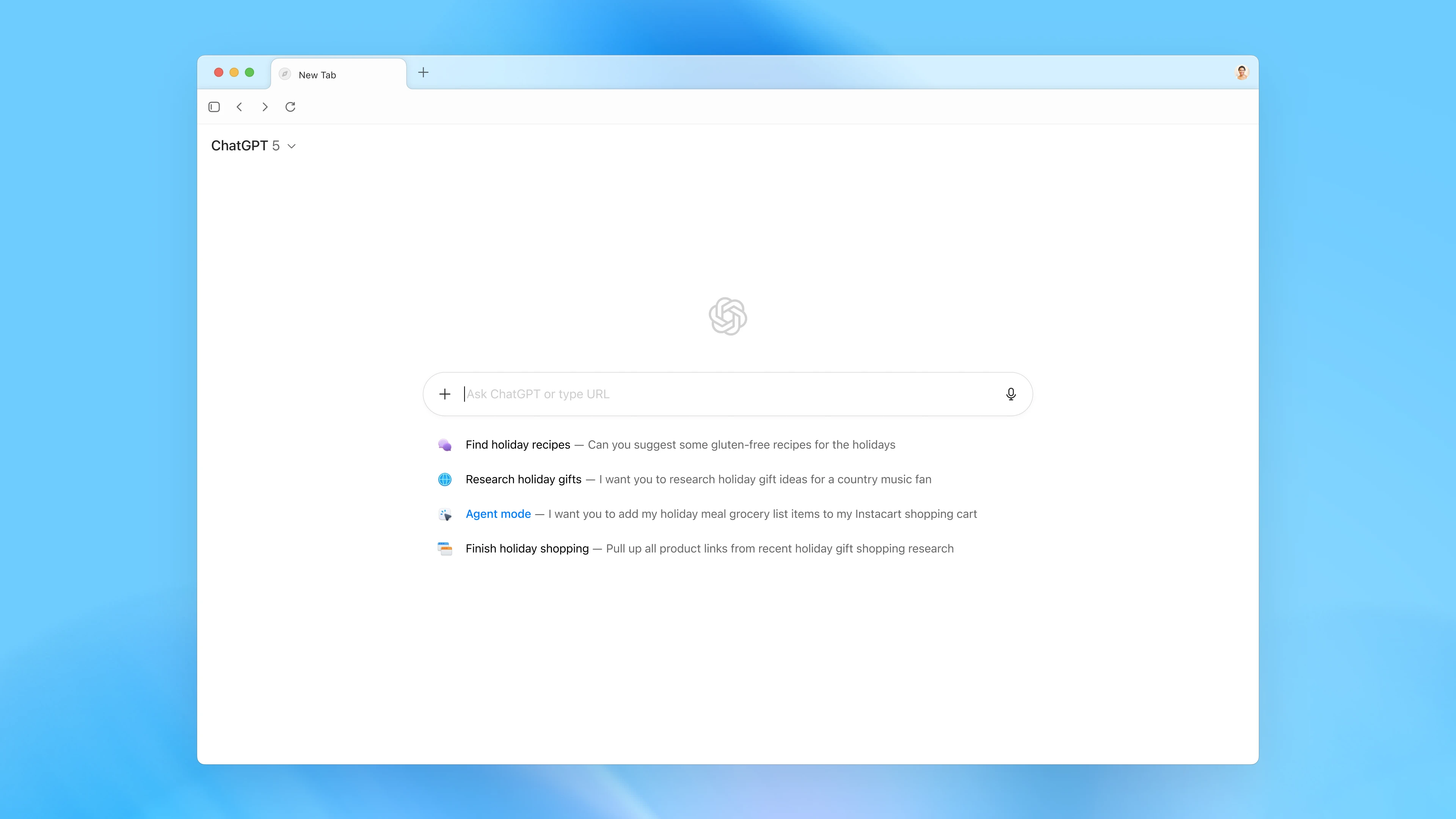
OpenAI designed Atlas with both personalization and privacy in mind. Users can manage what ChatGPT can see, remember, or forget, all from the browser settings. By default, the browser will not use your browsing content to train OpenAI’s models unless you explicitly opt in.
When enabled, “browser reminders” allow ChatGPT to provide intelligent suggestions based on your recent activity. For example, you can ask it to summarize the job postings you looked at last week or put together research insights from articles you read. This kind of contextual awareness transforms the ChatGPT Atlas web browser from a static tool into an adaptive companion.
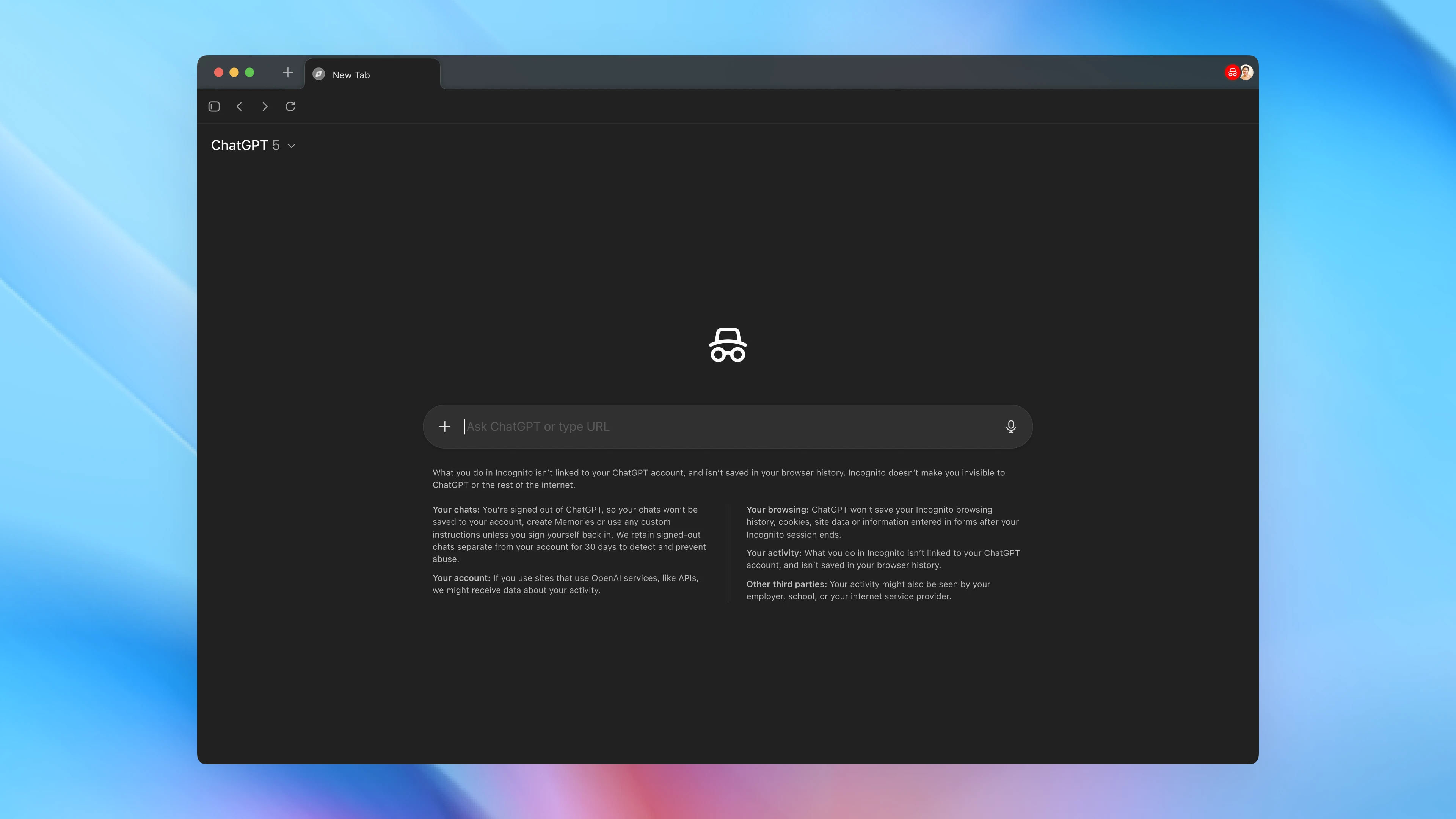
Incognito mode adds an extra layer of security by preventing ChatGPT from saving browsing activity or chat history. Combined with parental control options and privacy toggles in the address bar, OpenAI’s approach to security feels thoughtful and transparent.
Agent mode: AI that works for you
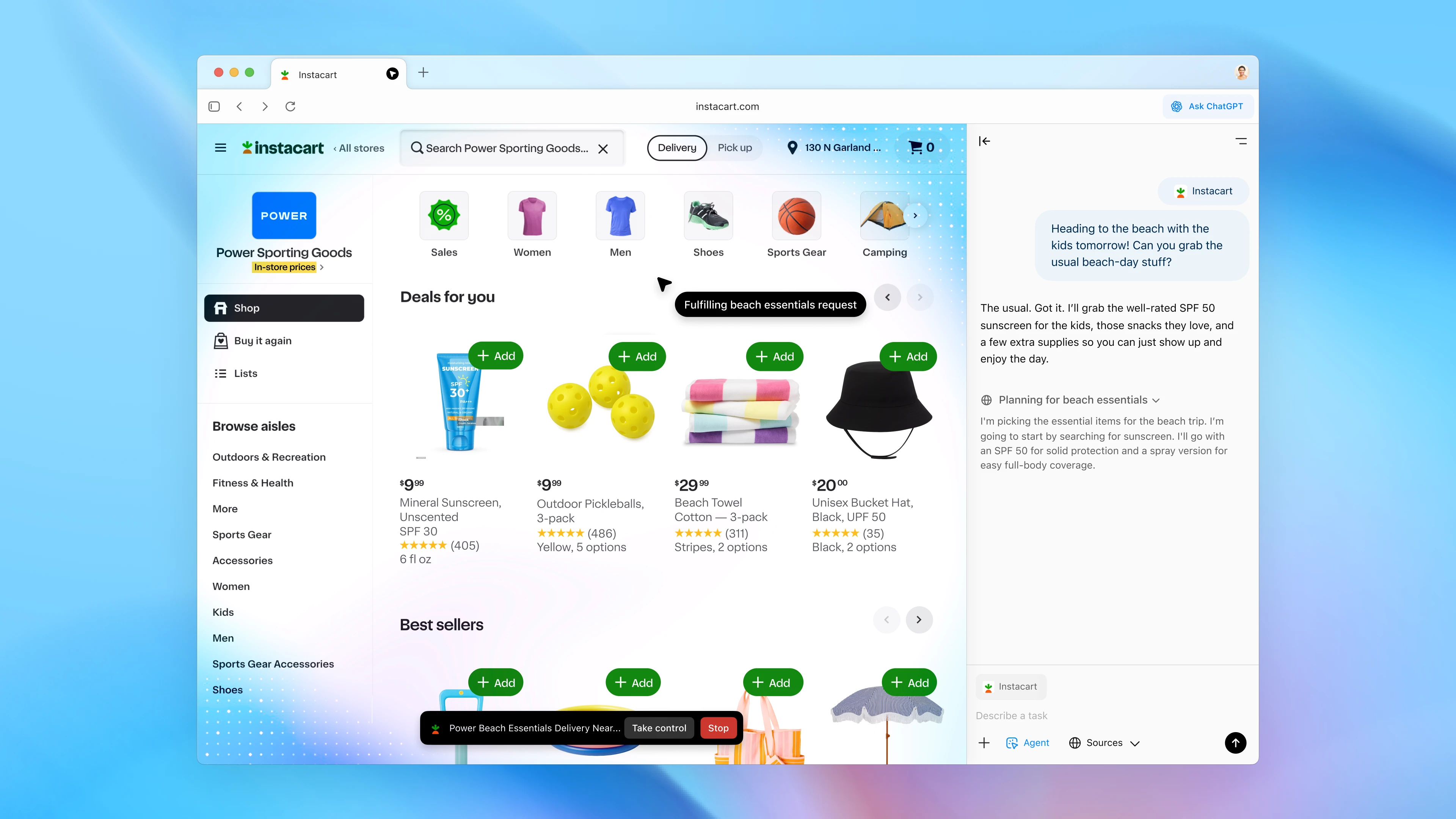
Perhaps the most groundbreaking addition to ChatGPT Atlas is ‘agent mode’. This feature allows ChatGPT to take direct action in your browser: open tabs, click links, fill out forms, or perform small tasks on your behalf.
Imagine you’re planning a trip and ask ChatGPT to find flights, check hotel availability, and consolidate the information into one itinerary. Or you ask him to summarize a series of documents from your workplace. Agent mode makes such workflows feel natural and automatic.
While still in preview, this feature represents OpenAI’s broader ambition: to build an ecosystem where AI not only helps with text, but also intelligently interacts with the web. OpenAI has emphasized security here too: agent mode pauses when accessing sensitive sites and cannot install extensions or run code on your computer.
The way forward for ChatGPT Atlas
The launch of the ChatGPT Atlas web browser heralds a new era in AI-enhanced productivity. OpenAI sees Atlas as a foundation for more advanced “agentic systems” that handle routine web interactions while users focus on creative or strategic work.
Future updates will introduce multi-profile support, improved developer tools, and expanded integrations for app developers. Website owners can also optimize ChatGPT’s interaction with their sites, ensuring smoother and more accurate AI responses.
Whether Atlas can dethrone Chrome’s three billion users remains uncertain, but one thing is clear: OpenAI has taken a bold step toward redefining the browser. In a world where AI is increasingly embedded in every tool we use, the ChatGPT Atlas web browser could well become the bridge between human intent and digital action, a browser that not only opens the Internet, but actually understands it.
Featured image: OpenAI
Follow us on Instagram for the latest news in fashion, lifestyle and culture @StyleRave_
—Read also